Support: Online Helpdesk
  • Newest
  • Categories

      Available Selections

    • Added Within
      1. -Last 24 Hours
      2. -Last 7 Days
      3. -Last 30 Days
      4. -Last 90 Days
      License Type
      1. -Personal Use
      2. -Giveaway Rights
      3. -Basic Resale
      4. -Master Resell
      5. -Developer
      6. -Private Label
    • Product Type
      1. -Audio Files
      2. -Brandables
      3. -Bundle Deals
      4. -eBooks
      5. -Exclusive PLR
      6. -GFX & Templates
      7. -Newsletter Sets
      8. -PLR Articles
      9. -Software/Scripts
      10. -Video Sets
      11. -Wordpress
    • View By Year
      1. - » Added 2016
      2. - » Added 2015
      3. - » Added 2014
      4. - » Added 2013
      5. - » Added 2012
      6. - » Added 2011
      7. - » Added 2010
      8. - » Added 2009
      9. - » 2008 & Prior
  • Blog
  • Support
  • Join
  • Login

Product Description

  1. Home
  2. Products
  3. Product Description

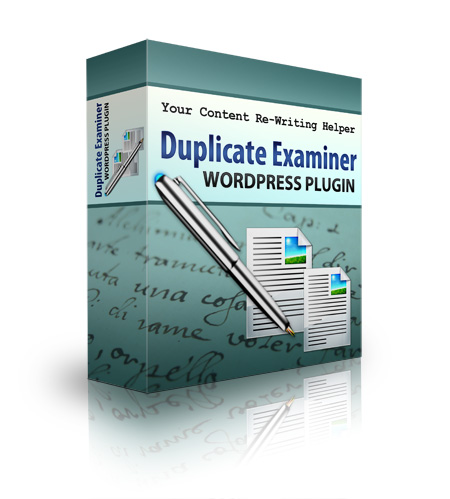
Duplicate Examiner Wordpress Plugin

Filed Under: Software, Wordpress, Wordpress Plugins

License: Personal Use Only

Date Added: September 12, 2012
Requested By Member: Yes

Sales Page: Click Here To View

Overview:

Yes! You Can Make Great Use of Cost-Effective Content Generation Strategies Without Falling Victim to Google?s Latest Duplicate Content Slapdown!

Login to Download Sign Up Now

Twitter Facebook Google+


Full Description:

License Terms.

Personal use only


Package Details:

File Size (In Zip Format): 196KB


Description:

Every website owner feels the pressure to constantly create new content. In fact, you probably spend a good part of your day writing and editing blog posts, articles, and emails. And why? Because if you want to have any hope of climbing to the top of Google’s search results, you know you have to fill your site with top-quality, unique content.

But when you’re running a business, finding time to write new content every day can be tough. Of course, you do have options:

  • Hire a ghostwriter to create unique content – at $25 and up per article, though, that’s going to cost you.
  • Go for the low-cost content providers – just remember you get what you pay for, and will frequently end up having to rewrite sub-par content.
  • Repurpose your own content – that eBook you give away for free will make a great blog series, just be careful that your readers don’t instantly recognize it, or they might feel cheated.
  • Buy and use PLR – this is certainly cost-effective, but for it to be of real use, you’ll need to make sure it’s sufficiently rewritten, because…

Google Rewards Unique Content with Top Search Results

…and it sends the rest – those reprinted articles from directories and unrevised PLR – right to the “supplemental index.” You know the one that shows up at the bottom of page 37 with a note that says, “We have omitted some entries very similar to the 368 already displayed…” That’s not exactly where you want your blog post to be listed, is it?

Beyond Google, though, you also have to consider your reader. Do you want them to find the same content on your website as they find somewhere else, or do you want to ….

Become a Trusted Resource Your Market Turns to Again and Again

PLR and other low-cost content solutions might be a good starting point for your content marketing plan – especially if you’re short on time – but if all you’re doing is republishing the same content that can be found all over the Internet, you’re not adding any value.

And that’s what your readers want and need – and what will keep them coming back for more. Value. Good information, presented in a fresh new way that they haven’t seen everywhere else. But that doesn’t mean you can’t get a little help.

Turn Repurposed Content into Unique Articles – Google and Your Readers will Never Know Your Secret!


You’ve heard it said again and again – you must rewrite PLR if you’re going to use them. And we’ve seen why. Now the only question is, “How will I know when I’ve changed it enough?”

That’s where Duplicate Examiner can help. This handy WordPress plugin allows you to…


  • Instantly compare the original article to the current version – you’ll know at a glance if the changes you made are significant or merely superficial.
  • Get a quick snapshot of the difference – just a glance at the sidebar lets you know immediately if you’ve reached your target change percentage for each article.
  • Keep tabs on the quality of guest-posters – if you find you’re constantly having to make major edits, you might rethink your decision to allow certain authors access to your blog.
  • See what your editing staff is doing – similar to Microsoft Word’s Track Changes feature, Duplicate Examiner shows you exactly what was edited, deleted, and added to your post.

Duplicate Examiner also has the benefit of being built for the very software you love and use every day: WordPress. That means it’s…

  • Super simple to install and configure – because who has time to learn complicated new software?
  • Automatically ignores stop-words, so you get an accurate picture of the changes you make.
  • Fully customizable for your unique subject matter.
  • Works right inside your WordPress dashboard so it’s always at hand when you need it.

This is Not a Content "Spinner” that Simply Spits Out Garbage Articles

I’m sure you’re familiar with those software programs that claim to create unique content at the click of a button. What you end up with is unique, to be sure, but it’s probably not readable. I don’t know about you, but I don’t want that on my blog.

No – the Duplicate Examiner is simply a tool you can use to determine exactly how much you (or your staff) have changed a piece of writing. It’s a complement to manual re-writes, not a replacement for, because it helps you set a goal and tells you exactly when you’ve reached it.  It helps you…


  • Provide content to your readers that they actually want to read.
  • Save money by using (and re-using) good content you already own.

Here’s just a partial list of some of the content you can recreate using a tool like Duplicate Examiner:

  • Your own articles – make better use of those article marketing pieces by reworking them and posting to your own blogs.
  • PLR content – create unique content using these low-cost articles as a starting point.
  • Affiliate articles – many product owners provide email and blog post copy you can use, and allow you to rewrite it to suit your audience.
  • Transcripts – Webinar transcripts make great blog posts with just a little tweaking!
  • Product descriptions – it’s easy to run afoul of Google when you sell physical products. Using Duplicate Examiner, you’ll know for sure if all your T-shirts are sharing the same cut and paste descriptions.


Stop Wasting Time and Money and Start Using and Re-Using Your Content the Smart Way!


Refer:

Newest Additions

  • » Last 24 Hours
  • » Last 7 Days
  • » Last 30 Days
  • » Last 90 Days

Categories

  • » PLR Articles Directory
  • » eBooks
  • » Video Sets
  • » Audio Files
  • » Graphics & Templates
  • » Software/Scripts
  • » Newsletter Sets
  • » Wordpress Related
  • » Brandables
  • » Bundle & Packages
  • » Exclusive PLR

View By Rights

  • » Private Label Rights
  • » Master Resell Rights
  • » Basic Resale Rights
  • » Giveaway Rights
  • » Personal Use

Latest News

  • Brand new member center finally launched.
    July 17, 2016
  • Happy 4th of July to all our American friends!
    July 4th, 2016
  • New member area coming soon. Stay tuned.
    June 26, 2016

Newsletter

How would you like to receive a daily email once we've added that days newest additions? With the all new MRR, you can request to receive an email once new products are added to the database and available for download. (DISABLED! Use form located within member area instead.)

Recent Tweets

Tweets by mrrgroup

Member Only Links

  • Member Account Center
  • Grab Affiliate Promotionals
  • View Affiliate Statistics
  • Resellers Workshop
  • Internet Marketing Bootcamp
© 2016, Master Resell Rights
Maintained By: Wooku Webs
Designed & Programmed By:
Sky Quest Media Design Team :)