Support: Online Helpdesk
  • Newest
  • Categories

      Available Selections

    • Added Within
      1. -Last 24 Hours
      2. -Last 7 Days
      3. -Last 30 Days
      4. -Last 90 Days
      License Type
      1. -Personal Use
      2. -Giveaway Rights
      3. -Basic Resale
      4. -Master Resell
      5. -Developer
      6. -Private Label
    • Product Type
      1. -Audio Files
      2. -Brandables
      3. -Bundle Deals
      4. -eBooks
      5. -Exclusive PLR
      6. -GFX & Templates
      7. -Newsletter Sets
      8. -PLR Articles
      9. -Software/Scripts
      10. -Video Sets
      11. -Wordpress
    • View By Year
      1. - » Added 2016
      2. - » Added 2015
      3. - » Added 2014
      4. - » Added 2013
      5. - » Added 2012
      6. - » Added 2011
      7. - » Added 2010
      8. - » Added 2009
      9. - » 2008 & Prior
  • Blog
  • Support
  • Join
  • Login

Product Description

  1. Home
  2. Products
  3. Product Description

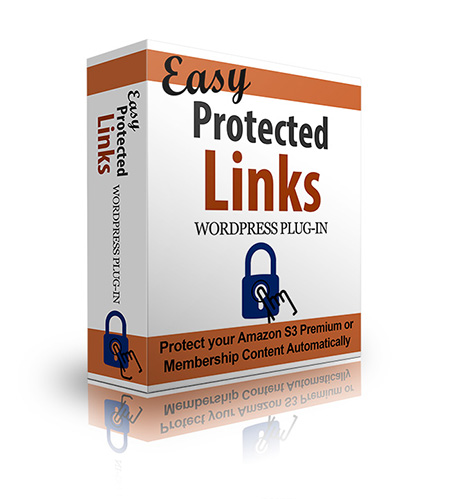
Easy Protected Links WP Plugin

Filed Under: Software, Wordpress, Wordpress Plugins

License: Personal Use Only

Date Added: September 01, 2013
Requested By Member: Yes

Sales Page: Click Here To View

Overview:

There simply is no better way to quickly and easily create expiring links to your Amazon S3 content to help protect your valuable downloads from unauthorized sharing.

Login to Download Sign Up Now

Twitter Facebook Google+


Full Description:

How many times have you found your hard work freely available all over the Internet in the form of downloadable pdfs, mp3s, videos, and more? If you've been creating products for any length of time at all, chances are it's happened more than once.

  • Illegal file sharing sites
  • Black hat forums
  • Hacker hangouts
  • Other blogs
  • So-called search engines that provide links to pdf files

All of these types of sites and more are earning money with your hard work, and until now there's been no easy way to stop it.

Sure, you can install a shopping cart or membership plugin to control downloads, but the cost and maintenance is a headache, and for low cost products it may not be worth it.

Instead, what most website owners end up doing is cobbling together a "work around" that looks something like this...

  • Plugins to hide the download pages from Google
  • Robots.txt code to hide the folders and files from Google
  • .htaccess code to prevent "directory browsing" by the casual visitor
  • Sitemap updates to prevent your 404 pages from accidentally revealing the location of your downloads
  • ...and on and on.

And even with all that, you'll still find that...

Search Engines and Others are Sharing the Links to Your Downloads

The truth is, the only way to truly prevent file sharing is to upload your precious files to a secured Amazon S3 server, then create an expiring link.

Here's what that will do for your valuable files:

  • Prevent Google from finding them - the search engines do not search Amazon servers
  • Prevent legitimate (and even well-meaning) buyers from sharing the link - because expiring links are just that - they stop working after a period of time
  • Prevent those who have the link from browsing through the rest of your files just to see what else might be available

With those three pieces in place, you'll prevent 99% of the illegal file sharing that is costing you money.

Of course, if it were as easy as all that, you could stop reading right here. But while it's a simple (and inexpensive) thing to get an S3 account and upload your files, most people stop there and simply set their S3 buckets to "public" which allows everyone to download the files as long as they have a link.

Expiring links are different, but...

If You Don't Know php, Creating an Expiring Link is Overwhelming

At their core, expiring links are quite simple. You set your bucket permissions to "private" and then generate a link that grants the user's web browser access to the content for a set number of minutes.

It's genius, really. You don't have to have a membership script. You don't have to mess around with robots.txt files and arcane .htaccess rules. The web browser does all the work for you.

All you have to do is write about 50 lines of php code and add it to your WordPress theme files.

Yeah. I didn't want to do that either, so I found a better solution...

Introducing Easy Protected Links

As an info-product seller and content producer (and most importantly, not a techy) this was just what I needed. Not only does it let me use my S3 account to protect my content, but it does it in a stylish way that is sure to appeal to my buyers.

Here's how easy it is to use...

  • Click "Add New Plugin" in your WordPress dashboard and upload the zip file, then activate
  • Add your Amazon S3 keys and bucket name
  • Create links right within your post editor screen to automatically protect your valuable files!

It really is as simple as that. With the Easy Protected Links plugin, you get...

  • An easy-to-install and maintain plugin built for WordPress
  • Super-simple, copy/paste settings that let you instantly (and painlessly) connect to your Amazon S3 account
  • Default settings let you maintain your brand throughout your entire site - or easily override for custom look on any page!
  • Easy customization of error messages so your buyers are never confused by a permissions error again

Delivering your download is as easy as clicking the icon in your post editor and choosing your options. You'll have...

  • 24 meaningful icons to let your customers know exactly what they're getting
  • 2 attractive button styles in 8 different colors to match any theme
  • Modern, "rollover" buttons to attract attention and encourage clicks
  • Fully customizable button text for better calls to action
  • Customizable expiration times so you can control how long your download is available during each browser session
  • Editable error message so you can let customers know exactly how to access their download if the link has expired
  • The ability to include multiple buttons/links per page
  • Simple shortcode syntax for stress-free troubleshooting
  • Easily accessible point-and-click button embedder available on both posts and pages
  • Protection for any file type!

There simply is no better way to quickly and easily create expiring links to your Amazon S3 content to help protect your valuable downloads from unauthorized sharing.

Easy Protected Links offers rock-solid protection by keeping your files off your server and away from prying eyes. Not only that, but by making the links expire, even nosy viewers who browse the source code of your site won't be able to share the link. It will simply stop working at the time you designate!

If you're serious about security and protecting your hard work, you must start using expiring links. Easy Protected Links makes it so simple, anyone can do it!


Refer:

Newest Additions

  • » Last 24 Hours
  • » Last 7 Days
  • » Last 30 Days
  • » Last 90 Days

Categories

  • » PLR Articles Directory
  • » eBooks
  • » Video Sets
  • » Audio Files
  • » Graphics & Templates
  • » Software/Scripts
  • » Newsletter Sets
  • » Wordpress Related
  • » Brandables
  • » Bundle & Packages
  • » Exclusive PLR

View By Rights

  • » Private Label Rights
  • » Master Resell Rights
  • » Basic Resale Rights
  • » Giveaway Rights
  • » Personal Use

Latest News

  • Brand new member center finally launched.
    July 17, 2016
  • Happy 4th of July to all our American friends!
    July 4th, 2016
  • New member area coming soon. Stay tuned.
    June 26, 2016

Newsletter

How would you like to receive a daily email once we've added that days newest additions? With the all new MRR, you can request to receive an email once new products are added to the database and available for download. (DISABLED! Use form located within member area instead.)

Recent Tweets

Tweets by mrrgroup

Member Only Links

  • Member Account Center
  • Grab Affiliate Promotionals
  • View Affiliate Statistics
  • Resellers Workshop
  • Internet Marketing Bootcamp
© 2016, Master Resell Rights
Maintained By: Wooku Webs
Designed & Programmed By:
Sky Quest Media Design Team :)