Support: Online Helpdesk
  • Newest
  • Categories

      Available Selections

    • Added Within
      1. -Last 24 Hours
      2. -Last 7 Days
      3. -Last 30 Days
      4. -Last 90 Days
      License Type
      1. -Personal Use
      2. -Giveaway Rights
      3. -Basic Resale
      4. -Master Resell
      5. -Developer
      6. -Private Label
    • Product Type
      1. -Audio Files
      2. -Brandables
      3. -Bundle Deals
      4. -eBooks
      5. -Exclusive PLR
      6. -GFX & Templates
      7. -Newsletter Sets
      8. -PLR Articles
      9. -Software/Scripts
      10. -Video Sets
      11. -Wordpress
    • View By Year
      1. - » Added 2016
      2. - » Added 2015
      3. - » Added 2014
      4. - » Added 2013
      5. - » Added 2012
      6. - » Added 2011
      7. - » Added 2010
      8. - » Added 2009
      9. - » 2008 & Prior
  • Blog
  • Support
  • Join
  • Login

Product Description

  1. Home
  2. Products
  3. Product Description

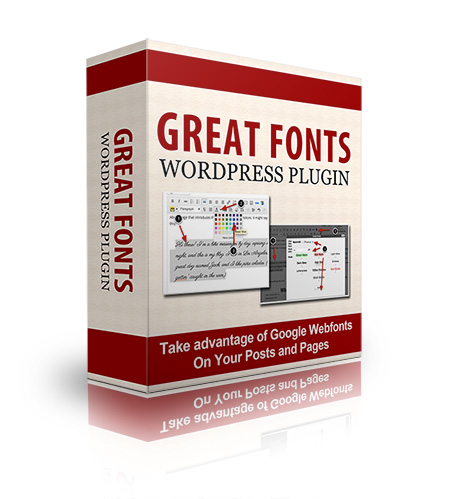
Great Fonts Wordpress Plugin

Filed Under: Software, Wordpress, Wordpress Plugins

License: Personal Use Only

Date Added: November 02, 2013
Requested By Member: Yes

Sales Page: Click Here To View

Overview:

Finally, There's an Easy Way to Add Beautiful Fonts to All Your Posts - Without Writing a Single Line of Code or Fumbling with Crazy Shortcode Syntax!

Login to Download Sign Up Now

Twitter Facebook Google+


Full Description:

Dear WordPress user,

Have you ever looked at your finished blog post - the one you spent hours writing and formatting - and thought...meh?

It seems like no matter how beautiful the images are that you choose, or how carefully you use headings and text styling, you're still left with a post that looks just like every other post on your site.

With the limitations of CSS and "web safe" fonts, it can be hard to make pages and posts stand out, regardless of what you do.

"I'm Already Using a Formatting Plugin"

Tiny MCE Editor and its cousin, Ultimate Tiny MCE Editor, make tweaking your font choices a bit easier. With these tools, you can easily change colors, size, and font face anywhere in your post or page. And that helps. At least a little bit.

But you're still stuck with those fonts that are deemed "web safe" - meaning most every computer can display them. You know the ones. Times New Roman. Arial. Comic Sans.

No matter what you do, the best you can hope for is larger, colored, but still boring fonts.

Beyond "Web Safe" Fonts

Time was, you had about 10 choices when it came to selecting a font for your website. The reason was, computers can only display those fonts that exist within their operating system files.

Today, most computers come shipped with dozens of fonts, but because we have so many different operating systems (and versions of operating systems) you can't be sure that each and every one of your readers will have that fancy font you want to use.

And if she doesn't? Well, her computer will fall back on the default choice, with less than spectacular results. That means you're still stuck using one of 20 or so different styles, just to be on the safe side.

Google to the Rescue! Sort of...

Enter Google Fonts. In 2010, Google launched its Web Fonts project, making it possible for webmasters to use any one of hundreds of free fonts, all optimized for the web. It no longer mattered if your computer had the font installed - Google would display it on the page anyway.

There's just one catch: You have to add a line of HTML code in the header of every page on your site, and you have to create CSS selectors (and know how to use them) in order to use the font on your posts.

If you're geeky - and have all kinds of time - maybe you'll want to do just that. But for most people, this is just too much work.

Use Any Font - Anywhere!

Now, though, with the simple addition of a new plugin called "Great Fonts," you can take advantage of Google Fonts like never before. This plugin allows you to:

  • Use any Google font - no HTML or CSS required
  • Use your font anywhere - no more being restricted to what you can hand code
  • Pretty it up even more - with built-in styles you won't find elsewhere

Plus, because it's built for WordPress, you know it's:

  • Easy to install - just upload via your plugin dashboard
  • Painless to configure - step-by-step directions make it simple
  • Quick to use - with an easy access button right on your post editing screen

If that were all this plugin did, it would still find a home on every blogger's favorites list. But take a look at all the options available to you, and I think you'll agree Great Fonts is a "must have" plugin.

  • One-click access to hundreds of fonts
  • Simple, point-and-click formatting in any post or page
  • Seamlessly integrated with WordPress' own editor for added control over colors and sizes
  • 10 custom styles to instantly add pizzazz to any text
  • True WYSIWYG capabilities - you'll see your chosen font right in the post editing screen, unlike some other plugins
  • No crazy shortcodes or complicated HTML syntax to learn
  • Complete user guide to walk you through the process of connecting to Google's font server - just a few steps, and you only have to do it once to use every font in their database!
  • Use multiple fonts on a single page - let your creativity flow!
  • Works for every user - regardless of operating system or browser.

With all this going for it, you'll find yourself using Great Fonts everywhere, including:

  • Sales pages - easily lead the reader through the page
  • Membership modules - create eye-catching, professional-looking pages instantly
  • Blog posts - break up the text with attractive fonts and colors for a richer user experience
  • Home page - carefully chosen fonts and highlights let your reader know in an instant what your site is all about
  • Author pages - create unique signatures for each contributor to a multi-author blog
  • Attention-grabbing headlines - never again will readers miss important points!

I'm certain you'll find Great Fonts to be an indispensable part of your blog, but if you feel it does not live up to its name, simply let me know, and I'll cheerfully refund your entire purchase price.


Refer:

Newest Additions

  • » Last 24 Hours
  • » Last 7 Days
  • » Last 30 Days
  • » Last 90 Days

Categories

  • » PLR Articles Directory
  • » eBooks
  • » Video Sets
  • » Audio Files
  • » Graphics & Templates
  • » Software/Scripts
  • » Newsletter Sets
  • » Wordpress Related
  • » Brandables
  • » Bundle & Packages
  • » Exclusive PLR

View By Rights

  • » Private Label Rights
  • » Master Resell Rights
  • » Basic Resale Rights
  • » Giveaway Rights
  • » Personal Use

Latest News

  • Brand new member center finally launched.
    July 17, 2016
  • Happy 4th of July to all our American friends!
    July 4th, 2016
  • New member area coming soon. Stay tuned.
    June 26, 2016

Newsletter

How would you like to receive a daily email once we've added that days newest additions? With the all new MRR, you can request to receive an email once new products are added to the database and available for download. (DISABLED! Use form located within member area instead.)

Recent Tweets

Tweets by mrrgroup

Member Only Links

  • Member Account Center
  • Grab Affiliate Promotionals
  • View Affiliate Statistics
  • Resellers Workshop
  • Internet Marketing Bootcamp
© 2016, Master Resell Rights
Maintained By: Wooku Webs
Designed & Programmed By:
Sky Quest Media Design Team :)