Support: Online Helpdesk
  • Newest
  • Categories

      Available Selections

    • Added Within
      1. -Last 24 Hours
      2. -Last 7 Days
      3. -Last 30 Days
      4. -Last 90 Days
      License Type
      1. -Personal Use
      2. -Giveaway Rights
      3. -Basic Resale
      4. -Master Resell
      5. -Developer
      6. -Private Label
    • Product Type
      1. -Audio Files
      2. -Brandables
      3. -Bundle Deals
      4. -eBooks
      5. -Exclusive PLR
      6. -GFX & Templates
      7. -Newsletter Sets
      8. -PLR Articles
      9. -Software/Scripts
      10. -Video Sets
      11. -Wordpress
    • View By Year
      1. - » Added 2016
      2. - » Added 2015
      3. - » Added 2014
      4. - » Added 2013
      5. - » Added 2012
      6. - » Added 2011
      7. - » Added 2010
      8. - » Added 2009
      9. - » 2008 & Prior
  • Blog
  • Support
  • Join
  • Login

Product Description

  1. Home
  2. Products
  3. Product Description

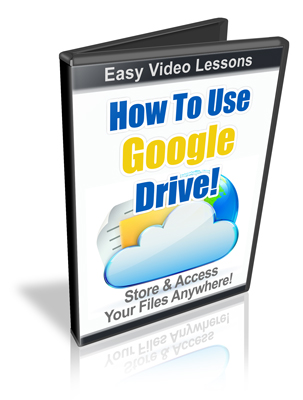
How To Use Google Drive

Filed Under: Video

License: Personal Use Only

Date Added: October 04, 2012
Requested By Member: Yes

Sales Page: Click Here To View

Overview:

Having access to your files wherever you go is very important. After all most of us wander around "connected" wherever we happen to be. However it doesn't make sense to have a copy of your files on all your computers and portable devices.

Login to Download Sign Up Now

Twitter Facebook Google+


Full Description:

License Terms.

For personal use only.


Package Details:

File Size (In Zip Format): 89.5MB
Video Format: FLASH


Description:


Having access to your files wherever you go is very important. After all most of us wander around "connected" wherever we happen to be. However it doesn't make sense to have a copy of your files on all your computers and portable devices.


That is where "cloud storage" comes in.

 
Here is some good news for you! Google has made it easy (and free) to store and access your files anywhere using "Google Drive".

But it doesn't stop there!


Google has a full suite of tools that you can use to create documents, spreadsheets, presentations, forms and drawings!

You have some good functionality in all of these applications, and they can be exported for use in other programs. For instance you can create a document in Google drive and export it to Word or Open Office. This gives you the ultimate in flexibility!

But here is the VERY best part. You can share your files with others. You can restrict them to view only (for sending pictures to your friends for instance) or you can set them to have editing authority.

By doing this you can have multiple people working on one project and it always stays in sync!

For instance if you were hiring two people to write an ebook. One is to write a section on SEO and the other on video marketing. They are each to put their content in the chapters you already created for each of them.

They make their changes and the document stays in sync across all of the accounts. Everyone has the same content at all times! Once they are done you can revoke their privileges if you want to.

You never have to worry about multiple copies getting mixed up again!

This type of collaboration works for all of the project types!
 
Here is just some of what you will learn:
  • How to use Google Drive to store files.
  • How to create spreadsheets
  • How to create presentations
  • How to create and use forms
  • How to use the drawing function
  • How to share your projects for viewing or collaboration.
  • How to access on mobile devices
  • and lots more...


Refer:

Newest Additions

  • » Last 24 Hours
  • » Last 7 Days
  • » Last 30 Days
  • » Last 90 Days

Categories

  • » PLR Articles Directory
  • » eBooks
  • » Video Sets
  • » Audio Files
  • » Graphics & Templates
  • » Software/Scripts
  • » Newsletter Sets
  • » Wordpress Related
  • » Brandables
  • » Bundle & Packages
  • » Exclusive PLR

View By Rights

  • » Private Label Rights
  • » Master Resell Rights
  • » Basic Resale Rights
  • » Giveaway Rights
  • » Personal Use

Latest News

  • Brand new member center finally launched.
    July 17, 2016
  • Happy 4th of July to all our American friends!
    July 4th, 2016
  • New member area coming soon. Stay tuned.
    June 26, 2016

Newsletter

How would you like to receive a daily email once we've added that days newest additions? With the all new MRR, you can request to receive an email once new products are added to the database and available for download. (DISABLED! Use form located within member area instead.)

Recent Tweets

Tweets by mrrgroup

Member Only Links

  • Member Account Center
  • Grab Affiliate Promotionals
  • View Affiliate Statistics
  • Resellers Workshop
  • Internet Marketing Bootcamp
© 2016, Master Resell Rights
Maintained By: Wooku Webs
Designed & Programmed By:
Sky Quest Media Design Team :)