Support: Online Helpdesk
  • Newest
  • Categories

      Available Selections

    • Added Within
      1. -Last 24 Hours
      2. -Last 7 Days
      3. -Last 30 Days
      4. -Last 90 Days
      License Type
      1. -Personal Use
      2. -Giveaway Rights
      3. -Basic Resale
      4. -Master Resell
      5. -Developer
      6. -Private Label
    • Product Type
      1. -Audio Files
      2. -Brandables
      3. -Bundle Deals
      4. -eBooks
      5. -Exclusive PLR
      6. -GFX & Templates
      7. -Newsletter Sets
      8. -PLR Articles
      9. -Software/Scripts
      10. -Video Sets
      11. -Wordpress
    • View By Year
      1. - » Added 2016
      2. - » Added 2015
      3. - » Added 2014
      4. - » Added 2013
      5. - » Added 2012
      6. - » Added 2011
      7. - » Added 2010
      8. - » Added 2009
      9. - » 2008 & Prior
  • Blog
  • Support
  • Join
  • Login

Product Description

  1. Home
  2. Products
  3. Product Description

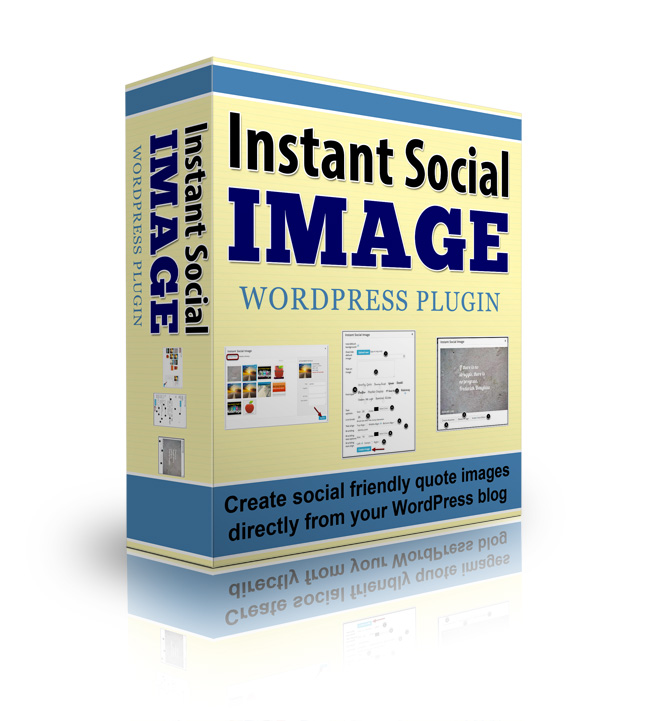
Instant Social Image Wordpress Plugin

Filed Under: Wordpress, Wordpress Plugins

License: Personal Use Only

Date Added: October 04, 2014
Requested By Member: Yes

Sales Page: Click Here To View

Overview:

Instant Social Image offers an incredibly simple and fast way for you to create stunning, sharable images right from your WordPress dashboard.

Login to Download Sign Up Now

Twitter Facebook Google+


Full Description:

Dear Fellow Website Owner,

How many times have you heard that "Content is king"? It's a pretty common statement, but the truth is, content isn't as powerful as it once was.

Sure, it used to be king, back in the early days of the Internet when everyone was on dial up and text - which loaded fast - was the only thing we could get.

Today, though, it's a whole new world. Connections are fast, attention spans are short, and your readers are demanding more than just words. They want videos and audio and lots and lots of pictures.

Take a look at the most popular blogs in any market and you'll see what I mean.

The Importance of Images on Your Blog

Aside from offering your readers new and engaging ways to consume your content by providing video and audio options, images are increasingly becoming "must have" items for every blog post. Here's why:

  • Images "break up" long passages of text and give your readers a place to stop and rest before continuing.
  • Images help get your point across in new, interesting ways.
  • Images are the currency of social media. Facebook posts with an image have better engagement, Twitter now allows you to include images, and Pinterest and Instagram are all about the image - no text at all.

In fact, the point about Pinterest should be enough to get you in the habit of using "pinnable" images in every blog post you write. It really doesn't matter what market you're in or even if you're a Pinterest user yourself. The fact is, people reading your blog are pinning your articles for future reading, and their followers are getting their very first introduction to your blog via Pinterest.

That alone makes creating and using "social friendly" images rank pretty high on your must-do list, if you want to continue to grow your audience.

The trouble is...

Social Friendly Blog Post Images Can Be Time Consuming And Costly To Produce

If you've ever tried to learn your way around the Photoshop (or GIMP) interface, than you know just how frustrating it can be. All you want is a simple image with some text, and you've got to:

  • Launch a huge resource hog of a program (that you probably paid a small fortune for).
  • Create a complex system of layers each containing a different element.
  • Wade through hundreds of fonts, fuss with points and pixels and alignment and color.
  • Save your image (and don't forget where you put it!)
  • Upload it to your post and be sure it's aligned properly there, too.

That's a lot of hassle for one image. And multiply that by several images per post and several posts per week, and you've created a full-time job for yourself!

Of course, you could simply outsource it all. But how much are you willing to pay to have a virtual assistant create images for you? At $25 or $30 per hour, you'll want to be sure you'll have a solid return on this investment before you commit.

You might also simply use one of the free image editors available to you. They're not as powerful as Photoshop, but they do have the advantage of being easier to use. But you will still have to save your image, upload it to your post, insert and align it correctly - all things that take time that as busy bloggers, we just don't have.

Ready to give up on images? Don't be. There's a better solution.

Introducing Instant Social Image

Never again will you have to pay extravagant prices for high-end software, struggle to learn basic functions, or wait for someone else to do the job. This clever WordPress plugin makes it easy to create and use beautiful social friendly images on any blog or website.

Instant Social Image offers an incredibly simple and fast way for you to create stunning, sharable images right from your WordPress dashboard. You'll enjoy...

  • One-click installation so you'll be up and running fast - no complex settings or arcane functions to learn.
  • Easy access within your post editor - no extra software to launch or websites to log into.
  • Built-in royalty free backgrounds so you can instantly create graphics on the fly.
  • Ability to upload your own background images for total control over the look and feel of your site.
  • 10 font choices give your social friendly graphics the exact look you want.
  • Automatic uploading of finished images to both your post and your media folder, so you can use them again and again and you'll always know where they are.
  • Unlimited color choices to match the style of any blog.
  • Automatic branding with your blog name for better reach and influence.
  • Point and click text alignment - no more fiddling with cryptic controls.
  • Easy line-break controls let you place text exactly where you want it.
  • Independent controls for text and branding ensure your social images convey your message clearly while still maintaining your brand.
  • Instant previews to ensure your images looks right before it appears on your post.
  • Easy to use on both posts and pages.

In fact, once you install and start using Instant Social Image, you might find it works so well you'll never have to use those other solutions again! You can use Instant Social Image to create images for:

  • "Pull quotes" or snippets of text from your blog that are particularly meaningful or interesting.
  • Inspirational quotes designed to make your readers aim higher and dream bigger.
  • Post titles and by-lines - no more drab text titles needed.
  • Product images - perfect for an ecommerce or affiliate site.
  • Calls to action - attention-grabbing images are much more likely to be read and acted upon than a link or line of text.

Really, the possibilities are truly endless, and the results you'll see when you start including social-friendly images in your blog will shock you. Here's just some of the results you can expect to see when you use images consistently...

  • Increased sharing across all social networks.
  • More inbound links.
  • More traffic from Pinterest, Facebook, Twitter and others.
  • Better reader engagement.
  • Lower bounce rates.


Refer:

Newest Additions

  • » Last 24 Hours
  • » Last 7 Days
  • » Last 30 Days
  • » Last 90 Days

Categories

  • » PLR Articles Directory
  • » eBooks
  • » Video Sets
  • » Audio Files
  • » Graphics & Templates
  • » Software/Scripts
  • » Newsletter Sets
  • » Wordpress Related
  • » Brandables
  • » Bundle & Packages
  • » Exclusive PLR

View By Rights

  • » Private Label Rights
  • » Master Resell Rights
  • » Basic Resale Rights
  • » Giveaway Rights
  • » Personal Use

Latest News

  • Brand new member center finally launched.
    July 17, 2016
  • Happy 4th of July to all our American friends!
    July 4th, 2016
  • New member area coming soon. Stay tuned.
    June 26, 2016

Newsletter

How would you like to receive a daily email once we've added that days newest additions? With the all new MRR, you can request to receive an email once new products are added to the database and available for download. (DISABLED! Use form located within member area instead.)

Recent Tweets

Tweets by mrrgroup

Member Only Links

  • Member Account Center
  • Grab Affiliate Promotionals
  • View Affiliate Statistics
  • Resellers Workshop
  • Internet Marketing Bootcamp
© 2016, Master Resell Rights
Maintained By: Wooku Webs
Designed & Programmed By:
Sky Quest Media Design Team :)