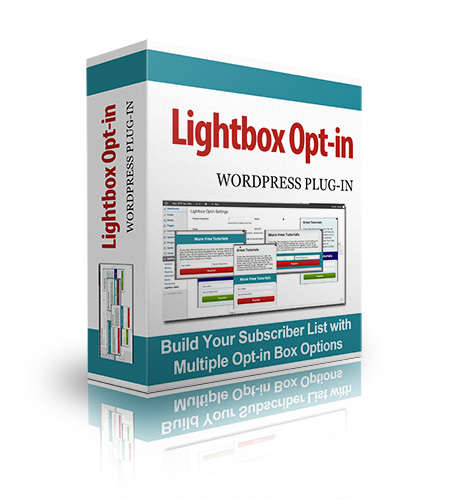
Full Description:
How long have you been struggling to build a mailing list? A year? Two? More? Sure, you've got the tantalizing offer, an opt-in form strategically placed in the upper right corner of your website, and maybe you're even driving traffic to a squeeze page. But is anyone actually seeing that stuff? Probably not. Ad Blindness -
It's Not Just For Google Anymore Here's the thing. No one looks at the stuff in your sidebar. Sure, if she's a loyal reader and she's got nothing better to do and she's looking for more of your great blog posts to read...maybe. But she's already on your mailing list anyway. You want to capture the guy who just landed on your blog after following a random link on some other website. He won't be able to find you again if he tries, so you need to entice him to subscribe right now. And that subtle sidebar form isn't going to cut it. This job calls for a popup. Ugh! I Hate Pop-Ups! What if I told you that the only people who say that are those who have never seen for themselves how well they work? It's not just hype. Website owners use pop-ups because they... - Grab a reader's attention
- Provide important information they might not otherwise see
- And yes, increase opt-ins
And here's something else you need to know: Not All Pop-Ups Are Ugly And Annoying If you've ever tried to use AWeber's pop-overs, or looked for pop-up plugin, you've no-doubt run up against the ugly side of the pop-up industry. I'm talking about: - Plain gray javascript exit plugins of the "WAIT! DON'T LEAVE!" variety.
- Pop-ups that obscure the page the second you land on the site - before you even know what it's about you're asked to opt-in!
- Amateur graphics that resemble web pages from the 90s.
- Buttons that scream "SUBSCRIBE!" - and that you cannot change.
- Obnoxious pop-ups that don't remember you've been on the site before.
The last thing you want is to put one of those on your site. You really will be irritating your readers if you slap a sub-standard pop-up form up and call it a day. Finally, A Beautiful, Inexpensive
Pop-Up You'll Love What if you could easily create an attractive, unobtrusive, fully customizable pop-up on your WordPress website in just minutes? If you've tried other pop-up plugins, that might sound like a pipe dream to you, but with Lightbox PopUp, that's exactly what you get. That's because this plugin doesn't try to do everything, but it does create great looking pop-ups with very little effort on your part. Here's all you have to do: - Install the plugin using WordPress' built-in installer - you've probably done this hundreds of times so you know how simple it is.
- Choose your pop-up style.
- Paste in your mailing list code.
- Write your call to action.
That's it. You're done! It truly could not be easier. There are no complex settings, no length tutorials to read or watch, just a simple, straightforward installation and setup that will take you no more than 10 minutes. Now you might be thinking, if it's that simple, surely it's pretty limited, right? No. In fact, here's exactly what you're getting in the Lightbox PopUp: - One-click installation - no FTP or crazy server permissions to worry about.
- Works automatically with all popular mailing list providers.
- 4 built-in pop-up styles to choose from.
- Unlimited color combinations.
- Delay timer so you determine how quickly the pop-up appears.
- Ability to prevent pop-up from showing on specific pages.
- Display frequency setting lets you customize how often visitors see your pop-up.
Those settings alone send this pop-up to the head of the pack. As you can see, it's easy for you to create just the style of pop-up you need - and to keep if from becoming one of those annoying forms we all hate. Beyond these basic settings, though, you'll find a fully featured opt-in form builder. You can: - Change the form color.
- Change the button color.
- Change the button text.
- Change the ribbon color and location.
- Completely style all headlines and text with the familiar WordPress visual editor.
- Add images using WordPress' built-in media uploader.
Here's the really powerful part of this plugin, though, and something you'll find in virtually no other plugin of it's kind: Custom CSS. What that means for you is that your pop-up designs are limitless. With just a little bit of CSS knowledge, you can easily change everything about your opt-in form, including: - Adding background images or gradients
- Changing the size of your pop-up
- Customizing text fields to match your theme
- Creating graphic buttons
- ...and a host of other changes that are only limited by your imagination!
Refer:
|