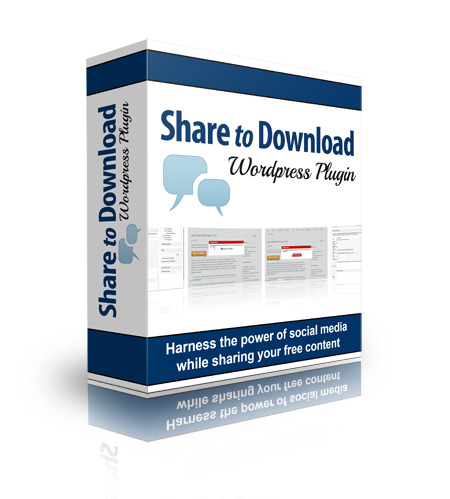
Full Description:
Dear Fellow Blog Owner, What's your number one goal as a website owner? Traffic? Conversions? List sign-ups? Likely all of those things - but there is one thing that simply must come first, if you want to enjoy measurable gains in any of those areas: Your site's search rankings. If you just broke out in a cold sweat thinking about the latest butt-kicking Google update, you're not alone. But Google was kind enough to give us the answer to our ranking problem. They've laid it out. Google and other search engines are placing more and more emphasis on social media and each site's "reach" than they are on nearly any other ranking factor. The truth is, the more exposure you and your website can gain on Facebook and Twitter, the more readers and buyers you'll attract, and the higher you'll rank in the search engines. That's something no blogger or small business owner can afford to ignore. That's why you see social sharing buttons everywhere these days. But there's a problem with them... Social Sharing Buttons
Have Become "Invisible" It's true. Just like the ads in your sidebar and the opt-in box you carefully place "above the fold," social media buttons are largely overlooked by blog readers today. They're in too much of a hurry to read and get to the next article or video or even back to Facebook! Sure, if a video is particularly funny or a blog post is especially touching they might take the time to share it with their fans and followers, but that's the exception, not the rule. And like we said - social sharing is the key to your search engine rankings, so you absolutely must... Attract Those Critical Social Media Links We do this in a variety of ways every single day. That's what the ever popular "call to action" is all about. "Like this post? Share with a friend!" "Enjoy this article? Subscribe and you'll never miss an update." "Want more videos like these? Follow my YouTube channel." If you're not including a call to action at the end of each and every blog post, you're inadvertently allowing your readers to wander away from your site, possibly to never return - and definitely without spreading your content on the web. But even this critical element of your blog post is not always enough to get your reader to actually take action. You need to be a little more persuasive, and that's what the Share to Download Plugin is all about. Enticing Readers to Share Your Content Just Got Easier! Imagine what a dozen "likes" per day would do for your traffic and conversion rates. What about 100? Or more? With this simple-to-use WordPress plugin, you can easily achieve those numbers. Here's how it works: Simply set up a free download offer - you probably already do this for your mailing list - and instead of supplying a link, you ask for a share in exchange. It's deceptively simple - and something you're probably already doing, just not with social media. But this plugin makes getting those shares even easier, with... -
An easy-to-install plugin that works within the WordPress dashboard - no new scripts to master or software to learn. -
Step-by-step configuration right on your page editing screen for quick set up and use. -
Connects directly to Twitter and Facebook - no API or other techy stuff to worry about. -
The option to ask customers to share before or after they download, for total control. -
Fully customizable buttons - you can use your own graphic and place the button anywhere you like on the page. -
Remembers your readers so they can return and download your ebook or special report without sharing again. -
An option to include your mailing list form so you can not only expand your social media reach but grow your mailing list as well - all in one step! -
Ability to place as many offers on as many pages as you like for endless testing and tracking.
Plus, this powerful tool offers a nearly endless list of possibilities for sharing. It... -
Works with both pages and posts, so you're not limited to how you can share your content. -
Works with any type of downloadable file, including PDFs, MP3s, MP4s, and even Word and Excel documents, so there's no end to what you can offer your readers. -
Push-button placement of your download button allows you to test which locations work best - you can even include multiple buttons in a single post or page.
If you use giveaways such as... Then you are missing out on a huge source of traffic by not asking for the share before allowing the download. Share to Download will plug that social media leak in no time. Stop Simply Hoping Readers will Share, and Start Giving Them a Reason To! You can plaster your blog with social media icons, build a Facebook page, and even beg your readers to "like" your site, but it will never be enough. Rather than installing a few buttons and simply hoping for the best, make social media sharing a "no brainer" on your site by offering a compelling reason to click that Facebook or Twitter icon. Share to Download makes it easy. In fact, you can be up and running in just minutes - it really is that simple.
Refer:
|