Support: Online Helpdesk
  • Newest
  • Categories

      Available Selections

    • Added Within
      1. -Last 24 Hours
      2. -Last 7 Days
      3. -Last 30 Days
      4. -Last 90 Days
      License Type
      1. -Personal Use
      2. -Giveaway Rights
      3. -Basic Resale
      4. -Master Resell
      5. -Developer
      6. -Private Label
    • Product Type
      1. -Audio Files
      2. -Brandables
      3. -Bundle Deals
      4. -eBooks
      5. -Exclusive PLR
      6. -GFX & Templates
      7. -Newsletter Sets
      8. -PLR Articles
      9. -Software/Scripts
      10. -Video Sets
      11. -Wordpress
    • View By Year
      1. - » Added 2016
      2. - » Added 2015
      3. - » Added 2014
      4. - » Added 2013
      5. - » Added 2012
      6. - » Added 2011
      7. - » Added 2010
      8. - » Added 2009
      9. - » 2008 & Prior
  • Blog
  • Support
  • Join
  • Login

Product Description

  1. Home
  2. Products
  3. Product Description

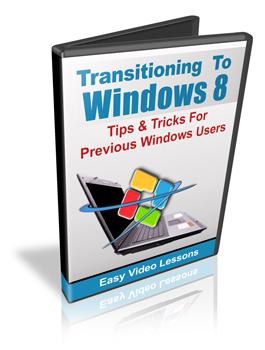
Transitioning To Windows 8 Made Easy

Filed Under: Video

License: Personal Use Only

Date Added: November 08, 2013
Requested By Member: Yes

Sales Page: Click Here To View

Overview:

learn how you can easily make the transition to windows 8 and keep your familiar desktop multitasking environment while taking advantage of the great features in windows 8

Login to Download Sign Up Now

Twitter Facebook Google+


Full Description:

Most of us are familiar with the way Windows works on a computer. Or at least we were prior to the release of Windows 8. Windows 8 has been described as having a "dual personality", and for good reason.

When Windows 8 first came out the world was shocked that their familiar "start button" had been removed. Furthermore the whole interface was different. When you opened apps (which we used to call programs) you were either greeted with a full screen display with no way to open additional full windows, or suddenly jarred into the "desktop mode". Honestly the first attempt at Windows 8 was (in my opinion) a freaking disaster.

Microsoft was forcing their will on the world with their "one operating system for everything" philosophy, when clearly the mobile world and desktop / laptop computer world have some major differences and need to be treated differently.

Enter Windows 8.1

Now we have a big improvement. The start button is back (but it isn't what you think), you can multi window in Windows 8 Metro (sort of) and the desktop gets some recognition. Plus the performance upgrades are substantial. But there is still a long way to go to give the desktop user the things that they need.

And that is where this video series comes in. Many of us like the way things worked before, and productivity is key for people trying to get their work done. We need true multitasking and to be able to have as many windows open as we require. 

 
Here is just some of what you will learn:
  • How to set up a true desktop environment
  • How to boot to the desktop
  • How to use the new start button effectively
  • How to configure a classic start button
  • Setting up the free built in virus detection
  • Pinning to the task bar
  • Creating desktop shortcuts
  • Using desktop apps 
and much more...


Refer:

Newest Additions

  • » Last 24 Hours
  • » Last 7 Days
  • » Last 30 Days
  • » Last 90 Days

Categories

  • » PLR Articles Directory
  • » eBooks
  • » Video Sets
  • » Audio Files
  • » Graphics & Templates
  • » Software/Scripts
  • » Newsletter Sets
  • » Wordpress Related
  • » Brandables
  • » Bundle & Packages
  • » Exclusive PLR

View By Rights

  • » Private Label Rights
  • » Master Resell Rights
  • » Basic Resale Rights
  • » Giveaway Rights
  • » Personal Use

Latest News

  • Brand new member center finally launched.
    July 17, 2016
  • Happy 4th of July to all our American friends!
    July 4th, 2016
  • New member area coming soon. Stay tuned.
    June 26, 2016

Newsletter

How would you like to receive a daily email once we've added that days newest additions? With the all new MRR, you can request to receive an email once new products are added to the database and available for download. (DISABLED! Use form located within member area instead.)

Recent Tweets

Tweets by mrrgroup

Member Only Links

  • Member Account Center
  • Grab Affiliate Promotionals
  • View Affiliate Statistics
  • Resellers Workshop
  • Internet Marketing Bootcamp
© 2016, Master Resell Rights
Maintained By: Wooku Webs
Designed & Programmed By:
Sky Quest Media Design Team :)