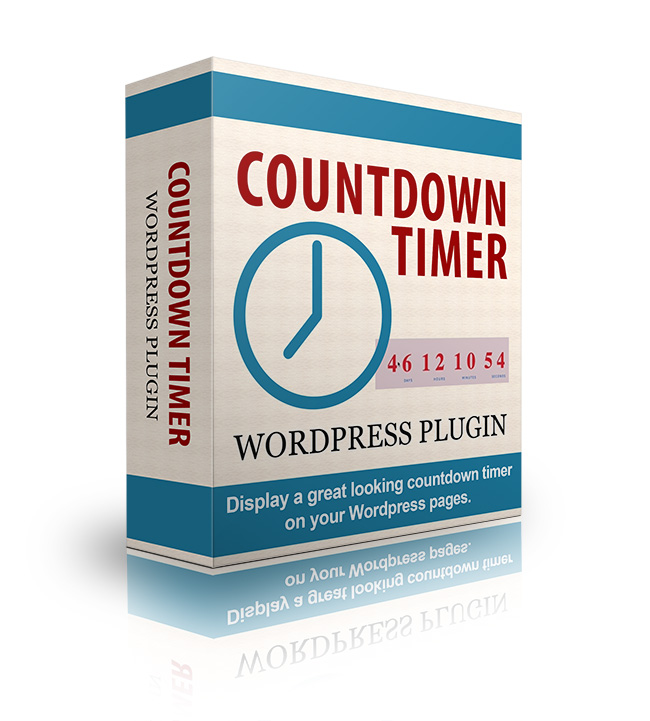
Full Description:
If you've ever purchased something that was on
sale or seen a big launch of a new product online, then you know the power of
scarcity. Tell someone they cannot have something and suddenly it's the hottest
thing on the market.
That's why you'll see so many online marketers
using scarcity tactics such as limited availability and time-sensitive pricing.
In fact, it's not unusual to see a product or program for sale at a fraction of
the future cost during a launch phase.
That's because...
Urgency Sells
All you have to do is take one
look at retail superstores to know that.
Clearance prices good until
Saturday only! While supplies last! Sale ends this Friday!
These tactics work because it's
our natural tendency to procrastinate. We want to think about it. We want to
look at other options. We want to watch another episode of Desperate Housewives.
Then we'll decide.
But when faced with a ticking
clock (quite literally), procrastination goes out the window. Decisions (and
purchases) are made.
You know this works - now it's
just the implementation that's the issue. And for many small business owners,
it's a huge issue indeed.
The Hunt for a Simple Solution
If you've looked at any of the
available solutions for creating a countdown timer, you've likely been left
feeling overwhelmed and wondering if it's really worth the cost.
You could...
- Buy an expensive plugin -
Sure it does all kinds of neat tricks, but who needs all those bells and
whistles when all you really need is a simple countdown clock?
- Install a new theme - Now
you not only have to shell out big bucks for a premium theme, but you also
have to redesign your entire website. Yuck!
- Code your own - Unless
you enjoy digging into php and javascript, or want to pay big bucks to
someone who does, this is hardly an option, but many site owners are forced
to resort to this because no other plugin fits the bill.
Most website owners simply give up at this
point, thinking that a countdown timer - and all the benefits it brings - simply
isn't for them. But the truth is, this powerful little tool is perfect for
nearly anyone who owns or manages a WordPress site.
Who Can Use the
WordPress Countdown Timer?
- Bloggers - If you've ever
hosted a contest, offered a bonus, or created an opt-in gift, then you can
increase your engagement with a well-placed countdown timer.
- Information marketers -
Do you sell ebooks, videos, or membership sites? A countdown timer to
announce special pricing can help drive sales.
- Event planners - Whether
your hosting a virtual or live event, a countdown timer will instantly let
readers know when your event begins.
- Deal and coupon site owners
- Readers will know at a glance when your advertised deals end.
- Holiday shopping sites -
How many days remain until Christmas? Readers will be reminded to grab that
hot new toy now, before it's too late.
As you can see - any site that has
time-sensitive information can make good use of a well-placed countdown timer.
How you use it is limited only by your imagination.
Perhaps the best thing about this plugin
though, is the...
Quick and Easy Setup for
Grabbing Attention Fast
Unlike some other countdown timer solutions,
this plugin makes it easy for you to add a compelling timer to your sales and
download pages and contest entry forms. Because it's a WordPress plugin, all it
takes to install it is:
- Upload the zip file right from your
WordPress dashboard.
- Activate the plugin.
- Choose your theme and colors (or leave the
default).
That's it! You're now ready to add your
countdown timer to any post or page.
When you do, you'll find a variety of options
to help your timer fit any style of page or subject matter:
- Countdown number of days or to a specific
date.
- Show a custom message when your timer
expires.
- Automatically remove timer when your
promotion ends.
- Customize the display to include (or not)
days, weeks, hours, or minutes.
- Light or dark theme to match any website.
- Advanced options for even more
customization.
In fact, with a little CSS skill, you can
easily make the WordPress Countdown Timer look and act exactly the way you like.
Because its made for ease of use, the WordPress Countdown Timer comes with its
own custom CSS file, which is easily accessible from the plugin options page.
Here you can customize everything from the
color of the numbers to the fonts used to the size of the timer. Easily make
your countdown timer as visible or unobtrusive as you prefer!
Refer:
|