Support: Online Helpdesk
  • Newest
  • Categories

      Available Selections

    • Added Within
      1. -Last 24 Hours
      2. -Last 7 Days
      3. -Last 30 Days
      4. -Last 90 Days
      License Type
      1. -Personal Use
      2. -Giveaway Rights
      3. -Basic Resale
      4. -Master Resell
      5. -Developer
      6. -Private Label
    • Product Type
      1. -Audio Files
      2. -Brandables
      3. -Bundle Deals
      4. -eBooks
      5. -Exclusive PLR
      6. -GFX & Templates
      7. -Newsletter Sets
      8. -PLR Articles
      9. -Software/Scripts
      10. -Video Sets
      11. -Wordpress
    • View By Year
      1. - » Added 2016
      2. - » Added 2015
      3. - » Added 2014
      4. - » Added 2013
      5. - » Added 2012
      6. - » Added 2011
      7. - » Added 2010
      8. - » Added 2009
      9. - » 2008 & Prior
  • Blog
  • Support
  • Join
  • Login

Product Description

  1. Home
  2. Products
  3. Product Description

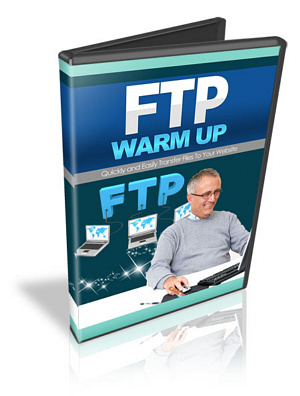
FTP Warm Up - PLR

Filed Under: Video

License: Private Label Rights

Date Added: August 03, 2011
Requested By Member: Yes

Sales Page: Click Here To View

Overview:

Finally, Discover How You Too Can Quickly and Easily Setup Your Website, Transfer Files, and Maintain Your Website Without The Worries Of Being a Tech Savvy Person...Starting Today!

Login to Download Sign Up Now

Twitter Facebook Google+


Full Description:

New Page 1

Private Label Rights License:

Legal Disclaimer: This license is Non ? Transferrable; meaning you cannot give these same rights away. If you want to sell rights to your customers; pay close attention to the license below. We closely monitor vendors that sell the product and take legal violations seriously. DO NOT Change this license...violations will be obvious

You cannot give the product away for free, even to your list...

Retail :
Sell Personal Rights - $7
Sell Resale Rights - $17
[YES] Can Sell This Product
[YES] Can Be Packaged with Paid Products. 5 PRODUCTS MAXIMUM CAN BE BUNDLED
[YES] Can Be Offered as a bonus to Paid Product
[YES] Can Be Added to monthly Paid MEMBERSHIP or Training SITES
* If you have a membership site where people pay a one time fee to get into download 100's of products, then you cannot include resell rights this product in that bundle.
[YES] Can Put Your Name on the Sales Page
[YES] Can Sell Resale Rights (Does not relate to PLR, meaning your Customers can resell the video as is...)
[YES] You can stamp your name on the videos, but you cannot sell PLR.
You CANNOT Give your customers the AVI files.
You CANNOT Offer In Firesales
You CANNOT Offer in Dimesales
You CANNOT Offer These Videos in Firesales if there are more than 5 products.
You CANNOT Sell Master Resale Rights to videos as is.
You CANNOT Sell these through Auction Sites
You CANNOT Give away resell rights for free
You CANNOT Give away videos for free
You CANNOT Claim Original Copyright
Repeat: You CANNOT Sell Private Label Rights


Announcing The Brand New, 11 Part, Step By Step Video Course ::

"Finally, Discover How You Too Can Quickly and Easily Setup Your Website, Transfer Files, and Maintain Your Website Without The Worries Of Being a Tech Savvy Person...Starting Today!"


Too Many Courses Presume You Already Know (FTP) File Transfer
And Website Maintance Basics.  This Is Your Missing Link To
Creating and Maintaining Your Website.  


From the Desk of:

[Your Name]

Dear Friend,

Imagine...you have created your files and you're ready to get it on a website.

You ask around and have u heard people say ::

- Upload the files to your website
- Setup your website

But...Your stumped and confused!

You don't know where to start because you can't find video tutorials that go from A to Z on how to go from setting up your domain and website, and upload your files to your website.

You are stuck and you face a few roadblocks and questions ::

- You feel overwhelmed because this is another thing you have to learn.
- You don't know where to start.
- You feel Wordpress is too technical.
- You dont know how to use FTP software
- You have heard the word web hosting and domain, but how do you connect the two?
- What are dns servers
- Too many courses presume you know how to use FTP
- Which folder are you supposed upload files to?
- How do u create folders?  
- How do u unzip files?
- How do you Move?  Copy?  Delete?  files...

You're not alone.

Most people don't know how to go from creating a files to getting it on their website.

These roadblocks can often become frustrations that lead to not taking action and this roadblock keeps you from learning what is necessary to read your goals.


Look..I'm here to tell you that setting up your
website and transferring files is actually quite easy!


There is a slight tiny learning curve, just as anything else, but it's really easy...if you know how to do it.

Imagine...you've setup your website, you've uploaded your files, and you're done.

Wouldn't that be nice?

In just moments, I will introduce to you a step by step training course that will show you that FTP or Transferring Files really isn't too technical and that any newbie can do this.


Introducing...

FTP Warm Up

11 Part Video Course

Now the way I've created this video training course, is so you can...

Look over my shoulder and I literally take you by the hand and show you HOW in this step by step training.  In this video series, you'll have access to 11 short videos that shows you how to transfer files to your website.

Obviously we don't want you to become overwhelmed, so the videos are split up into bite sized chunks ...short and straight to the point, so you get what you want in a matter of time...

And soon you'll have your website up and running in no time!


Here's a list of this 11 part video series in more detail


Video #1 :: Warming Up to FTP

If you're reading this, you probably want to get your website up and running now.  Or you want to transfer some files right now!  Hold on there just a minute.  In this video you will learn the basics of FTP just to get your feet warm.  We'll talk about FTP basics, what it is, and how it works.


Video #2 :: What You Need To Have Beforehand

While some of you already have bought a domain name and web hosting, many of you have no clue where to begin.  So in this video, you will learn what you need to have before you get started.  The goal of this video product is to cover every little hole or questions, so you aren't left in the dark.  Besides the domain and web hosting, which will cost abut $15-20 to get started, we'll stick with free FTP tools, so it won't break your wallet.
 

Video #3 :: Getting Your Website Setup For File Transfer

Once you've acquired the domain, web hosting, and ftp software...now what?  At this point in the process, it's time to connect your domain to your web hosting company.  What?  No worries, you will be given step by step instructions to accomplish this.  All you have to do is follow the mouse and do exactly as I show you; as you look over my shoulder.  Once you've passed this part, everything else should be a breeze.


Video #4 :: Accessing Your Login Information

Obviously before you can connect to your FTP account thru the Filezilla software, you will need to get a hold of your login information.  Once you have this, you will be set.  In this video you will learn what you need to get started FTP login wise so you will be ready to go without the wonders of what you'll need next.  Don't worry, this whole process does not require you to be technical savvy.  In fact, you're almost done when you hit this video.


Video #5 :: Saving and Organizing Your Account Information in Filezilla


Once you have your login information, you'll want to be sure to organize your account information within Filezilla.  I have made many mistakes over the years, and this is one of them.  Without the proper organization, you will become frustrated in the long run.  Do it right this first time, and you'll make your life so much easier by saving time in the future.


Video #6 :: Connecting to your FTP Account in Filezilla

You're almost connected!  As the title states, you will learn how to connect to your FTP account so you can start upload the necessary website files to your website.  You'll notice that as the videos progress, it becomes easier and easier as you finish each step.  You're almost there.  We'll also cover some problems you may face while doing so and how to overcome them.


Video #7 :: Where Do You Upload To?

By now you're inside your FTP account or in simpler terms, you're inside your website.  When you log in, you will notice a number of folders.  The big question you may have is, which folder?  Yes, there is a specific main folder you need to upload to, but you'll learn what to watch out for so that you can setup your website correctly.

 
Video #8 :: Uploading to the Filezilla Manager

Now that you understand which is the main folder and where to upload to, it's time to upload your files.  You're almost there!  Aren't your excited?  And the best part of it all, this part is a breeze.  But besides just the task of uploading files, you will learn how to use the Filezilla manager and how to use it correctly to make your life easier.
 
Video #9 :: How to Delete, Copy, Move files, Create a Folder, and more.

Just as the title states, you'll learn the basic things you can do while you are within the FTP program.  You'll learn vital tasks such as how to delete a file or folder?  How to copy and move files and folders around?  How to create a new folder?  And much much more.
 
Video #10 :: Live Website Rules 101

We've added these last two videos to ensure that understand how to get your site up and running.  Now that you understand the basics of how to upload files and transfer them around your website, let's talk about basic website rules and cover questions and problems you may encounter while trying to make your site live.  Such as "I can't get my site to appear on the internet when I go to www.yourdomain.com!" and more.
 
Video #11 :: Transfer Files Without FTP Software

Let's say that you are traveling and you don't have access to your computer at home that has FTP software.  Or let's say you have the files on hand, but you don't have access to that computer.  Either way, there are ways to access your website without using FTP software.  Now keep in mind that this video course covers Filezilla FTP software, however you can use any FTP software that you choose.  In fact many FTP softwares are very similar to that of Filezilla.  At the same time, you will learn in this video, how to transfer files, do everything you could do without Filezilla and more thru your browser.


Refer:

Newest Additions

  • » Last 24 Hours
  • » Last 7 Days
  • » Last 30 Days
  • » Last 90 Days

Categories

  • » PLR Articles Directory
  • » eBooks
  • » Video Sets
  • » Audio Files
  • » Graphics & Templates
  • » Software/Scripts
  • » Newsletter Sets
  • » Wordpress Related
  • » Brandables
  • » Bundle & Packages
  • » Exclusive PLR

View By Rights

  • » Private Label Rights
  • » Master Resell Rights
  • » Basic Resale Rights
  • » Giveaway Rights
  • » Personal Use

Latest News

  • Brand new member center finally launched.
    July 17, 2016
  • Happy 4th of July to all our American friends!
    July 4th, 2016
  • New member area coming soon. Stay tuned.
    June 26, 2016

Newsletter

How would you like to receive a daily email once we've added that days newest additions? With the all new MRR, you can request to receive an email once new products are added to the database and available for download. (DISABLED! Use form located within member area instead.)

Recent Tweets

Tweets by mrrgroup

Member Only Links

  • Member Account Center
  • Grab Affiliate Promotionals
  • View Affiliate Statistics
  • Resellers Workshop
  • Internet Marketing Bootcamp
© 2016, Master Resell Rights
Maintained By: Wooku Webs
Designed & Programmed By:
Sky Quest Media Design Team :)