|
| License: Private Label Rights
Date Added: December 02, 2014
Requested By Member: Yes
Sales Page: Click Here To View
Overview:
Finally, Discover How to Pinpoint Opportunities In Your Niche and Manage Your Own Social Media Presence...Starting Today.
Login to Download Sign Up Now
Facebook
Google+
|
Full Description:
Private Label Rights License Terms.
Sell Personal Rights - $7
Sell Resale Rights - $17
[YES] Can Sell This Product
[YES] Can Be Packaged with Paid Products. 5 PRODUCTS MAXIMUM CAN BE
BUNDLED
[YES] Can Be Offered as a bonus to Paid Product
[YES] Can Be Added to monthly Paid MEMBERSHIP or Training SITES
* If you have a membership site where people pay a one time fee to get
into download 100's of products, then you cannot include resell rights
this product in that bundle.
[YES] Can Put Your Name on the Sales Page
[YES] Can Sell Resale Rights (Does not relate to PLR, meaning your
Customers can resell the video as is...)
[YES] You can stamp your name on the videos, but you cannot sell PLR.
You CANNOT Give your customers the AVI files.
You CANNOT Offer In Firesales
You CANNOT Offer in Dimesales
You CANNOT Offer These Videos in Firesales if there are more than 5
products.
You CANNOT Sell Master Resale Rights to videos as is.
You CANNOT Sell these through Auction Sites
You CANNOT Give away resell rights for free
You CANNOT Give away videos for free
You CANNOT Claim Original Copyright
Repeat: You CANNOT Sell Private Label Rights
Package Details:
Video Format: AVI, FLASH
Sales Page: Yes
Download Page: Yes
Graphics Format: JPEG, PSD
Extras: Sales Page Promo Video
Description:
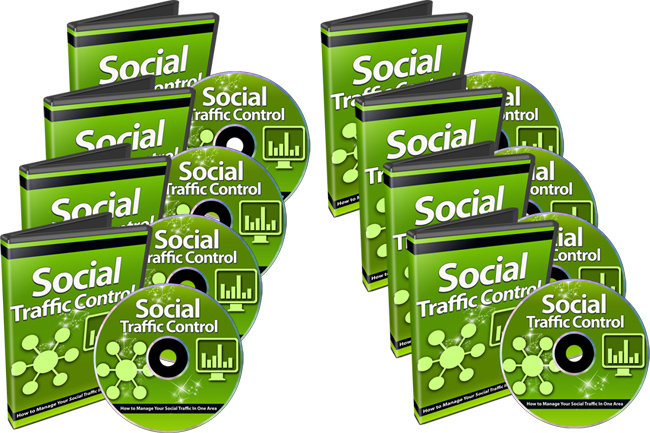
Here's a list of this 7 part video
series in more detail
Video #1: Introduction to Social Media Control
If you don't have a centralized hub that controls and manages your social media,
it's time to take action and implement this in your business so that you have
more time to focus on your prospects. In this specific video, you will be given
a quick overview of what we'll be discussing in this particular video series as
well as all the tools that you were going to need. Fortunately, we will try and
stick with free tools that are powerful, which some of them will have paid
options to increase your monitoring and management.
Video #2: Can't fix it if you don't know what's broken
Just as the title of this video says, if you don't know how well your social
media presence is doing and what areas need to be fixed, you can't fix anything
if you don't know it's broken, right? So that's the whole goal of this
particular video. To help you brainstorm in two different areas, which will
cover more in detail later on.
Video #3: How to Pinpoint Opportunities
There are many tools out there to allow you to analyze the markets and figure
out where the opportunities are. However, with this free, but powerful tool,
you'll be able to analyze the social media sites and see how people really feel
about certain markets.
For example, you'll be able to get a bird's eye view of a particular subject
matter or niche and it does not matter whether the majority sentiment is
negative, neutral, or positive. Think about it? The data is worth gold because
it helps you pinpoint opportunities before you enter the market or before you
create a post surrounding a specific area.
Video #4: How to Monitor Opportunities
Once you have pinpointed opportunities, how would you like to learn how to
monitor these opportunities so you can figure out if somebody is talking about
them well in advance? Well in the specific video, you'll learn how to do just
that and more in-depth about how to use these free tools.
Video #5: How to Manage Your Own Social Media Presence
At this point in time, you will have learned how to pinpoint opportunities,
monitor opportunities, and now you'll learn how to manage your own social media
presence with one of the best tools out there. The company who created this
specific tool should be around for a very long time. This is an important trait
to look for because as you build your social media presence, you want to have a
reliable tool that will last through the years. It takes a lot of time and
effort to have to constantly migrate to different tools. Once things are up and
running and doing really well, you don't really want to change the tools either.
Video #6: Social Media Management in Action
Once you have picked which tool you want to us in video #5, it's time to really
show you how to use this tool in your own social media presence. I personally
use this tool and it has been very good to me for the last few years.
Video #7: Wordpress to Social Media Automation
One of the most tedious things about maintaining and managing social media, when
you have many different social networks that you're part of, it can take a lot
of time to post that same message to all of them. But I want to tell you today
that there is a way to automate the whole process. There is a way that you can
set it up so any time you create a new post or page in Word press, you can set
it and forget it.The system will automatically post from your centralize blog to
many social networks that you specify.
Refer:
|