|
| License: Private Label Rights
Date Added: June 01, 2014
Requested By Member: Yes
Sales Page: Click Here To View
Overview:
Finally, Discover How to Research Market Demand or Keywords That People Are Searching For With the Free Google Keyword Planner...Starting Today!
Login to Download Sign Up Now
Facebook
Google+
|
Full Description:
Private Label Rights License Terms.
Sell Personal Rights - $7
Sell Resale Rights - $17
[YES] Can Sell This Product
[YES] Can Be Packaged with Paid Products. 5 PRODUCTS MAXIMUM CAN BE BUNDLED
[YES] Can Be Offered as a bonus to Paid Product
[YES] Can Be Added to monthly Paid MEMBERSHIP or Training SITES
* If you have a membership site where people pay a one time fee to get into
download 100's of products, then you cannot include resell rights this
product in that bundle.
[YES] Can Put Your Name on the Sales Page
[YES] Can Sell Resale Rights (Does not relate to PLR, meaning your Customers
can resell the video as is...)
[YES] You can stamp your name on the videos, but you cannot sell PLR.
You CANNOT Give your customers the AVI files.
You CANNOT Offer In Firesales
You CANNOT Offer in Dimesales
You CANNOT Offer These Videos in Firesales if there are more than 5
products.
You CANNOT Sell Master Resale Rights to videos as is.
You CANNOT Sell these through Auction Sites
You CANNOT Give away resell rights for free
You CANNOT Give away videos for free
You CANNOT Claim Original Copyright
Repeat: You CANNOT Sell Private Label Rights
Package
Details:
Video Format: AVI, FLASH
Sales Page: Yes
Download Page: Yes
Graphics Format: JPEG, PSD
Extras: Sales Page Promo Video
Description:
Whether you are trying to rank for
a specific term in Google, finding keywords to rank in Google Adwords, or even
researching market demand, keyword research is vital to almost any product or
service.
Yet the big question is this: how do you know whether there really is a demand
for the keyword you want to rank for or whether you should even move into a
certain market?
How do you know what people are really searching for in relation to what you are
promoting?
Regardless of what your goal is, while it is easy to guess which keywords are
better than others - wouldn't it be nice if you could simply use a tool to find
this out?
Google Keyword Planner is that solution
...and best of all, it is a completely free tool!
Imagine being able to tap into the world?s largest keyword tool that tells you
exactly what people are typing into Google, the volume, and how much competition
is out there.
And better yet, instead of playing the guessing game, you will have real
accurate data you can use.
Now, Google used to have what we used to call the ?Google Keyword Tool?, but
they revamped it...
and rebranded it as the ?Google Keyword Planner?.
There are many differences and it can get complicated if you don't know what
you're doing.
That said, if you'd like to learn how to use Google's Keyword Planner to the
max, then you'll want to read on...
Note: We are not going to focus on any specific method traffic or market
research. Instead, we will over the core fundamentals of using Google?s Keyword
Planner effectively so you can go any route you wish.
Introducing...
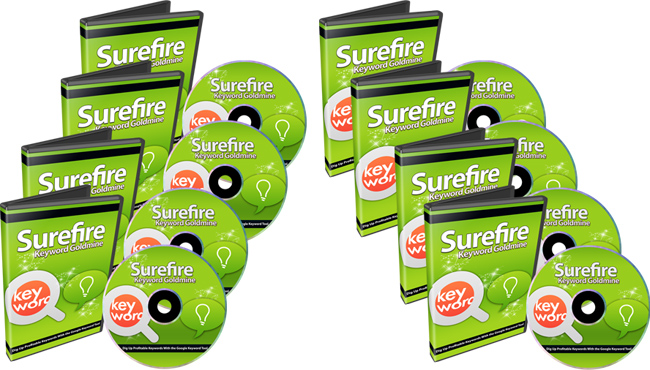
Surefire Keyword Goldmine
9 Part Video Course
Here's a list of this 9 part video series in more detail
Video #1 - Introduction to Keyword Planner
In this video, you'll be given a quick overview of this video course as a whole.
You'll see what you need to get started before you jump in and start researching
your keywords and market demand.
Video #2 - Different Types of Searches
Within the Google Keyword Planner, there are currently four different ways to
search. In this video, we will cover those types of searches so you know exactly
which one to use that?s most effective for your needs.
Video #3 - Search Type A: Keyword / Ad Groups Ideas
In this video, you will learn how to use this type of search. This search is
great if you don't really know which keywords are out there, and you want to
figure out which keywords people are really typing into Google that are related
to the keyword you type in. We'll go through how to use the features to find the
data you are looking for.
Video #4 - Keyword / Ad Groups In-Depth
Once you have entered a keyword and set the parameters on the first page of this
search, you will enter a second page that shows the different routes you can
take (either by seeing Keyword Ideas or Groups of keywords). You will learn how
to use this section correctly.
Video #5 - Customize Detailed Estimates
Once you have found the right keywords, it?s time to customize them. Since there
are so many different routes you could take, I will show you how to use this
feature so you can apply it exactly to your own needs.
Video #6 - Create and Download Keyword Lists
After you have done the proper keyword research and found the right keywords, if
you'd like to save these keywords lists to your computer so you can use them
later, in this video you will learn how to do so.
Video #7 - Search Type B: Search Volume
This search type is great if you already have a list of keywords you want data
on immediately. Search Volume refers to how many people are searching for a
specific keyword. This is perfect if you want statistics for keywords right
away.
Video #8 - Search Type C: Traffic Estimates
Just like in video #7, this search type is a bit similar in the sense that if
you have a list of keywords you want data on instantly, this is another great
route to go. The difference is that it provides you with traffic estimates of
the keywords themselves.
Video #9 - Search Type D: Multiply Keyword Lists
If you don't know where to begin, but want to start generating some keyword
ideas, then you can use this search feature. This allows you to combine keywords
together to form other keywords. The bottom line: it gives you a better reach
into the market you are researching.
Refer:
|