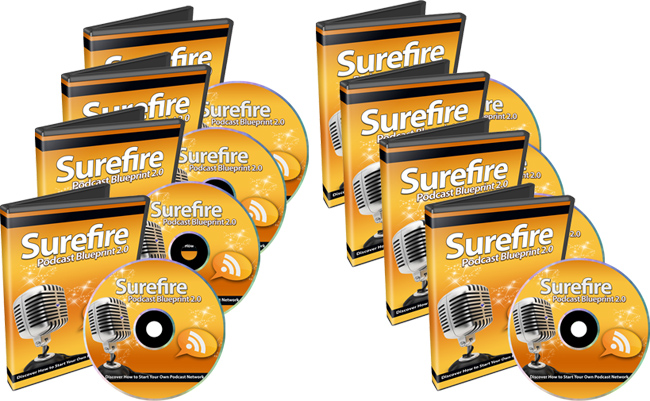
|
| License: Private Label Rights
Date Added: March 31, 2014
Requested By Member: Yes
Sales Page: Click Here To View
Overview:
Finally, Discover How to Create Successful and Engaging Podcasts That Instantly Will Brand You As The Expert and Drive Loads of Traffic Back To Your Products and Services?Starting Today!
Login to Download Sign Up Now
Facebook
Google+
|
Full Description:
Private Label Rights License Terms.
Sell Personal Rights - $7
Sell Resale Rights - $17
[YES] Can Sell This Product
[YES] Can Be Packaged with Paid Products. 5 PRODUCTS MAXIMUM CAN BE BUNDLED
[YES] Can Be Offered as a bonus to Paid Product
[YES] Can Be Added to monthly Paid MEMBERSHIP or Training SITES
* If you have a membership site where people pay a one time fee to get into
download 100's of products, then you cannot include resell rights this
product in that bundle.
[YES] Can Put Your Name on the Sales Page
[YES] Can Sell Resale Rights (Does not relate to PLR, meaning your Customers
can resell the video as is...)
[YES] You can stamp your name on the videos, but you cannot sell PLR.
You CANNOT Give your customers the AVI files.
You CANNOT Offer In Firesales
You CANNOT Offer in Dimesales
You CANNOT Offer These Videos in Firesales if there are more than 5
products.
You CANNOT Sell Master Resale Rights to videos as is.
You CANNOT Sell these through Auction Sites
You CANNOT Give away resell rights for free
You CANNOT Give away videos for free
You CANNOT Claim Original Copyright
Repeat: You CANNOT Sell Private Label Rights
Package
Details:
File Size (In Zip Format): 634MB
Video Format: AVI, FLASH
Sales Page: Yes
Download Page: Yes
Graphics Format: JPEG, PSD
Extras: Sales Page Promo Video
Description:
Here's a list of this 11 part
video series in more detail
Video #1: Introduction to Podcast Marketing
So before we jump right in and get into the meat of this video course, in this
specific video we are going to show you a quick overview of the course itself,
tools you're going to need, and of course, how it all works. This way you have a
bird?s-eye view of how everything is going to be implemented to create your
successful podcasts.
Video #2: What's In A Podcast?
While it's easy for you to want to jump right in and begin creating your
podcast, it's important to plan ahead and know exactly what you're going to talk
about and how you're going to lay your podcast out. So in this specific video we
are going to not only plan ahead, but I'm going to show you how to do some basic
research so you have an idea of the other podcasts in your niche.
Video #3: Writing a Intro and Outro Script (Copy and Paste This)
Writing what we call the intro and outro is important. Basically, this is the
beginning and the end of your podcast. The ?intro? is what introduces you as the
expert and speaker. Doing this wrong can actually backfire, so you want to make
sure you do it the right way. The ?outro? allows a person to take action.
Fortunately for you, you get the copy and paste script so you don't really have
to think about what you should write - just fill in the details.
Video #4: Hire Voiceover Artist for Intro and Outro
While you can create your own intro and outro, it's better to get somebody else
to introduce you, and then you introduce yourself, especially when you're trying
to position yourself as the expert. Therefore, in this specific video I'm going
to show you two sites that you can use to hire voiceover artists for fairly
cheap. I'm also going to discuss what types of voiceover artists you should hire
for your specific podcast, because it can vary from niche to niche.
Video #5: Microphone and Software Editing Tools
We all know that having the right microphone and software editing tools is a
huge factor, so here we're going to cover specific types of microphones. I'm
actually going to show you what I use and recommend highly, including the
software editing tools. Just a reminder though - we will mainly be focusing on
audio since this is more about the basics. However, bear in mind thatwith iTunes
you can always upload video as well, so I'll ensure that I cover video editing
software tools.
Video #6: Record Your Podcast (How to Create Soundproof Environments)
Now that we have laid out the groundwork, it is time to record your podcast. But
the big question remains - how can you record your podcasts in such a manner
that you can remove all of the room sound? For example, how can you create a
soundproof environment when you have a noisy neighbor or house? You'll learn
some shocking truths as to how to create a soundproof environment with items
that you most likely already have.
Video #7: Edit Your Main Podcast Yourself
Once you have recorded your podcasts you still need to edit them. So, since we
have an introduction and a call to action at the very end, I'm going to show you
how to add these two parts to the main podcasts. I'm also going to show you how
to edit the podcasts, and of course how to add a soundtrack to create a specific
environments for your listeners.
Video #8: Podcast Hosting - Sites to Use
Before you can submit to iTunes, you need to have a place that will host your
audio files. The big question here is what sites should you use? I am going to
show you one specific site that I highly recommend. Using these types of sites
will make your life a lot easier in terms of tracking your podcast and of course
submission to iTunes.
Video #9: Creating a Podcast - Upload Audio Files to Podcast Hosting
Once you have signed up for the recommended podcast hosting or decided on where
you want to be, it's time to create a podcast and upload your audio files to the
podcast hosting sites. We'll go through the step-by-step process of creating a
podcast correctly and getting up to the point to ensure that it is in the right
RSS podcast format. Fortunately for you, while this does sound quite technical
it really isn't, as long as you understand how to follow me step-by-step as you
watch over my shoulder.
Video #10: Get Your RSS Feed
Before you can submit to iTunes, you need your podcast in RSS format. You will
need this to add to iTunes otherwise it will slow down the submission process.
Video #11: Submit Podcast to iTunes
By this video, you'll be virtually done. However, there is one last step and
that is to submit your podcast RSS feed to iTunes. I want to show you exactly
how to do this step-by-step.
Refer:
|