|
| License: Basic Resale Rights
Date Added: July 24, 2015
Requested By Member: Yes
Sales Page: Click Here To View
Overview:
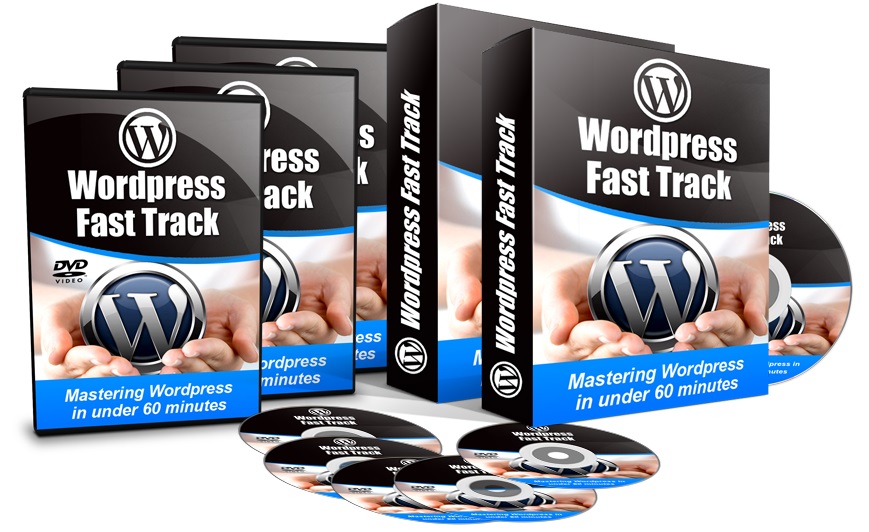
With the 'WordPress Fast Track', you'll get twenty four easy-to-follow video tutorials which will walk you through the various aspects of using WordPress.
Login to Download Sign Up Now
Facebook
Google+
|
Full Description:
Basic Resale Rights License
Terms:
[YES] Can be sold.
[YES] Can edit the sales letter.
[YES] Can sell and keep 100% of the sales.
[YES] Can be published offline (physical book, DVD, home study course,
etc.)
[YES] Can be bundled into another paid package and sell at a higher
price.
[YES] Can be used as a bonus to another product you are selling.
[YES] Can be sold in a Dime sale event.
[YES] Can be added into a paid membership site with personal use.
[NO] Can sell with Resale Rights
[NO] Can sell with Master Resale Rights.
[NO] Can resell or give away the Private Label Rights.
[NO] Can be given away for free. |
|
Package Details:
Format: MP4 Video
Sales Page: Yes |
|
Description:
 What is WordPress?
You'll learn what WordPress is and what it is
used for in this video. With this, you'll know
more about WordPress and you'll have an idea on
how to use it for your own needs!
 WordPress.org vs.
WordPress.com
WordPress.org vs.
WordPress.com
In this video, I discuss the differences between
WordPress.org and WordPress.com. I also provide
the pros and the cons of each so that you can
easily decide which of the two would you choose
for your site!
 Logging in to WordPress
I'll be walking you through the process of
logging in to your WordPress site in this
tutorial. The steps in this video are easy to
follow so that you'll have an easy time logging
in to the admin part of your WordPress site!
 The WordPress Dashboard
The WordPress Dashboard is the control panel of
your WordPress site. I'll be providing an
overview on what the Dashboard is and what can
be done with it. You'll find helpful information
about the WordPress Dashboard for your site in
this video.
 The WordPress Admin
Toolbar
The WordPress Admin
Toolbar
The WordPress Admin Toolbar has useful shortcuts
and functions that you'll find handy and
important. You'll easily learn what you can do
with the WordPress Admin Toolbar in this video!
 Settings
The �Settings' section of your WordPress
Dashboard has links to the settingsyou're your
WordPress site's appearance, comments, posts,
pages and many more. Information about the
�Settings' section and how to change the various
settings will be discussed in this video.
 Pages and Posts in
WordPress
Pages and Posts in
WordPress
There is a difference between a page and a post
in WordPress. In this video, you'll easily learn
when to create a post or a page on your
WordPress site!
 Writing a Post in
WordPress
Writing a Post in
WordPress
In this video, I will walk you through the steps
on writing a post in WordPress. You'll easily
learn how to create a post via WordPress and
publish it -- no advanced technical skills or
knowledge required!
 Making Links in Posts
in WordPress
Making Links in Posts
in WordPress
Links in a post or a page is extremely helpful
especially if you want to provide a �shortcut'
to your visitors on a certain website or
location in the Internet. The steps on how to
make a link in this video is simple and easy to
follow, so you should be able to create links on
your WordPress post or page after watching this
video!
 Inserting Pictures into
a Post in WordPress
Inserting Pictures into
a Post in WordPress
It is a known fact that pictures greatly enhance
an article, a post, or a page, whether it is in
the Internet or not. In this video, I will show
you a step-by-step process on how you can add
pictures to your post in your WordPress site.
 The Media Library
The Media Library is where all of the pictures,
audio, video and other multimedia that you
upload to your WordPress site is stored. I'll
walk you through the Media Library in your
WordPress site. You'll easily learn through
simple steps how to upload pictures to your
Media Library as well as viewing the files in
the library via its file type.
 Formatting Your Posts
in WordPress
Formatting Your Posts
in WordPress
Formatting posts lets you make your posts look
more interesting visually and it also helps in
delivering your message to your website
visitors. In this video, I'm going to show you
the formatting options for your posts on your
WordPress site. You'll see how easy it is to
write and format posts for your WordPress site!
 How to Schedule Your
Posts
How to Schedule Your
Posts
In this tutorial, I will show you, step by step,
on how to schedule your posts in WordPress. With
this, you can write your posts anytime you want
and set those to post on your site at a later
time. Now, you won't need to immediately post
what you write!
 Categories and Tags
There is a difference between tags and
categories in Wordpress. In this video, I will
discuss what are tags and categories. I will
also provide Information on the uses and
difference between using tags and categories.
 Pages in WordPress
Pages in WordPress are used for content that
don't change often, like the �About Me' or
�Contact Us' pages that you see in most sites.
With this video, you'll learn how to create a
page for your WordPress site. The steps outlined
in this video are easy to follow and simple, so
by the end of this video you should be able to
easily make a page on your site using WordPress!
 Page Templates
In this video, I'll provide a step-by-step
process on how to use a page template for a page
in your WordPress site. The steps are simple so
you should be able to easily follow those and
complete the process outlined in this video.
 WordPress Plugins
WordPress plugins are very helpful in various
ways and can enhance your site and blogging
experience as a whole! I'll also provide
information on free plugins vs. premium/paid
plugins, and what advantage does premium plugins
have over the free ones.
 Installing Plugins in
WordPress
Installing Plugins in
WordPress
You'll see how a plugin is installed to a
WordPress site in this tutorial. The
step-by-step process is simple and easy enough
that no advanced technical knowledge is required
to complete it!
 WordPress Themes
WordPress themes are used to visually enhance a
site made in WordPress. I'll also provide
information on free themes vs. premium/paid
themes, and what advantage does premium themes
have over the free ones.
 Customizing Appearance
The looks of a WordPress site can be customized
by changing the settings of the various visual
elements of the site. In this tutorial I will
show you how to customize the appearance easily.
 Installing WordPress
Themes
Installing WordPress
Themes
In this video, I'll walk you through the steps
of installing themes for your WordPress site.
The video includes 2 ways of installing themes,
one of which is via the Themes in the WordPress
Dashboard and the other is by installing a theme
which has been downloaded onto the computer.
 Making a Custom Menu
A custom menu is a list of links that is usually
shown in your WordPress site. The steps outlined
in this video tutorial is easy to follow and
doesn't require any special technical skill or
knowledge, so rest assured that you or anyone
else will be able to complete the steps
mentioned in this video with no problems at all!
 Comments in your
WordPress site
Comments in your
WordPress site
Your website visitors can leave comments in the
posts that you have in your WordPress site. In
this video, I'll provide an overview of the
�comments' section in your dashboard, plus I'll
also show you how you can easily manage the
comments posted on your site.
 Users in your Wordpress
site
Users in your Wordpress
site
The �Users' section of the Dashboard will be
discussed in this video. I'll provide you
easy-to-follow steps on how to add users to your
WordPress site, and I'll also provide tips about
users and user roles.
|
Refer:
|